Jatra 3:0 :: Dark Mode Support 🙌

Jatra now supports "Dark Mode" - for the night hawks. 😀
Dark Mode inverts the colors of your Jatra-powered community and make it suitable for reading in low-light or night time.
Enable Dark Mode for your Jatra-powered Community
Currently the Dark Mode is an admin setting -
Settings -> General -> Appearance Mode
Which means, the admins can enable the dark mode in following configurations:
Light - Always Light
Dark - Always Dark
System - Follows device settings
Important: If you wish to enable dark mode for your community, we strongly recommend uploading a new logo that works in the dark mode. If no dark-mode logo is uploaded, the default logo will be shown.
Here's how it looks -
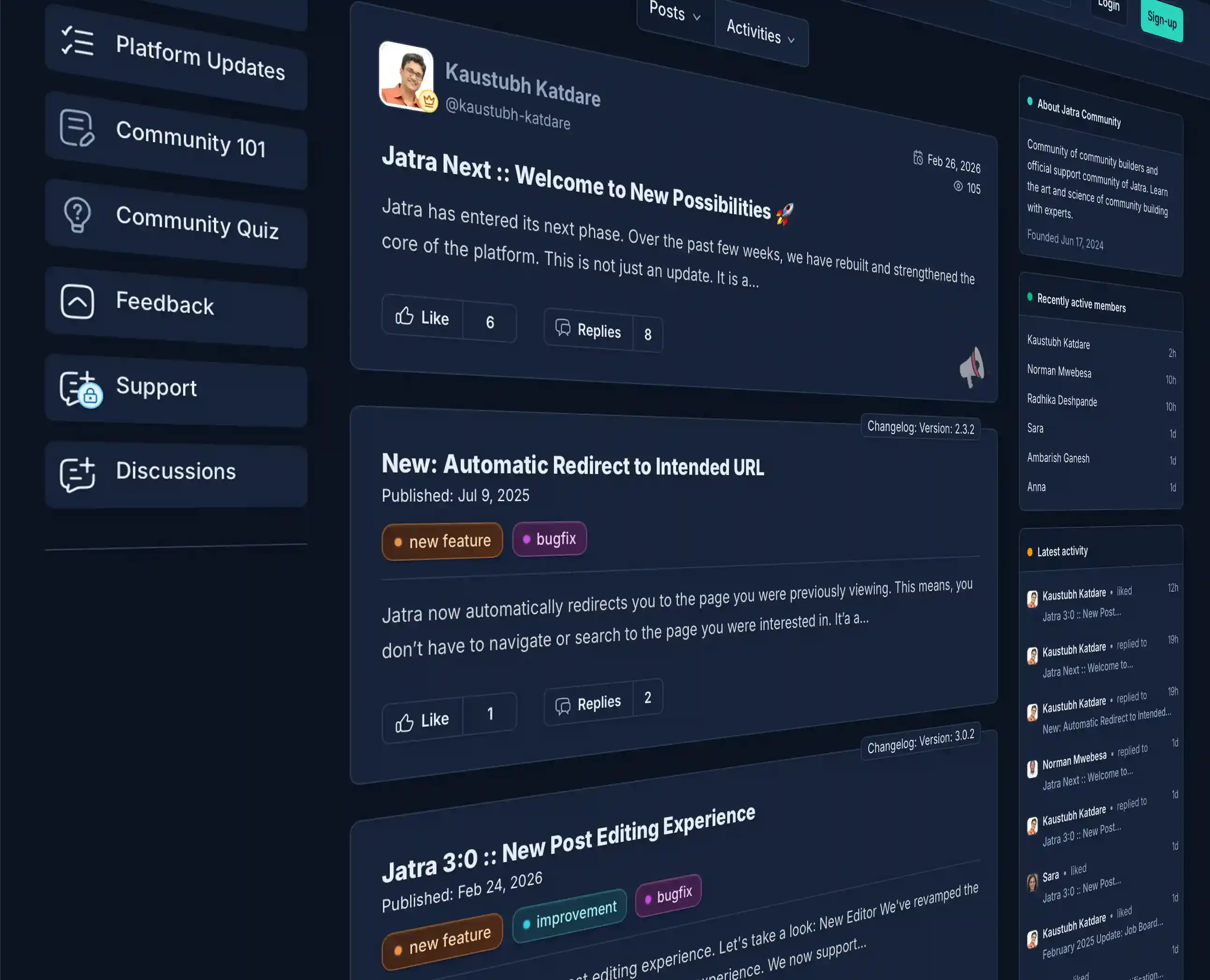
We hope Jatra users will enjoy the dark mode.
PS: If you find anything out of place in the dark / light mode settings, please share your feedback. 👍

