
Jatra 3.1 :: Jatra Themes + UI Customization Options

We are excited to introduce Jatra Themes and UI Customization options. If you've ever felt the need to tweak your community's look and feel - we now present you with UNLIMITED options to customize your Jatra-powered community.
Today, we've rolled out the beta version of Jatra's UI Customization options along with two default themes.
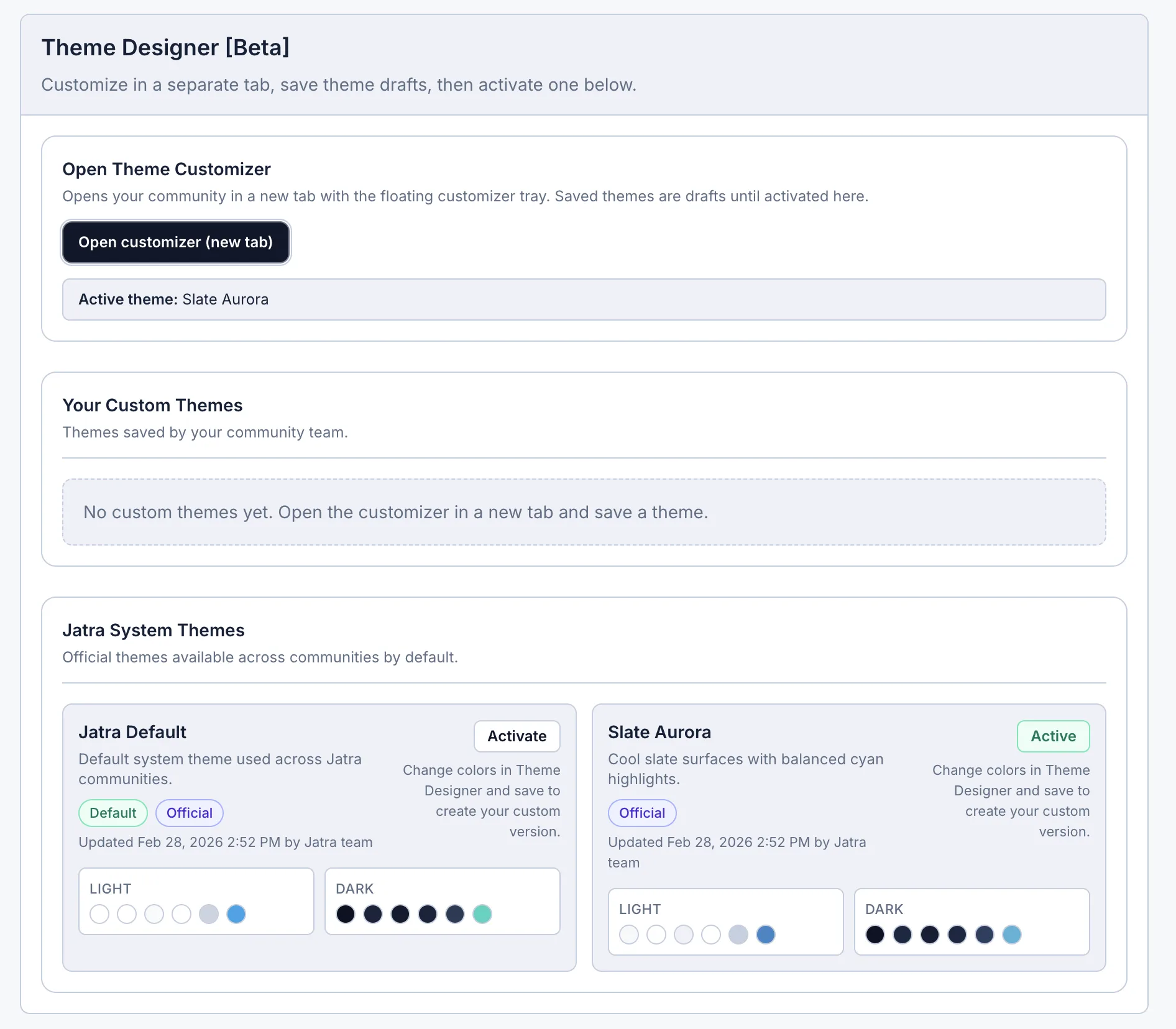
You can now:
Open a Live Theme Designer Panel directly from Admin settings
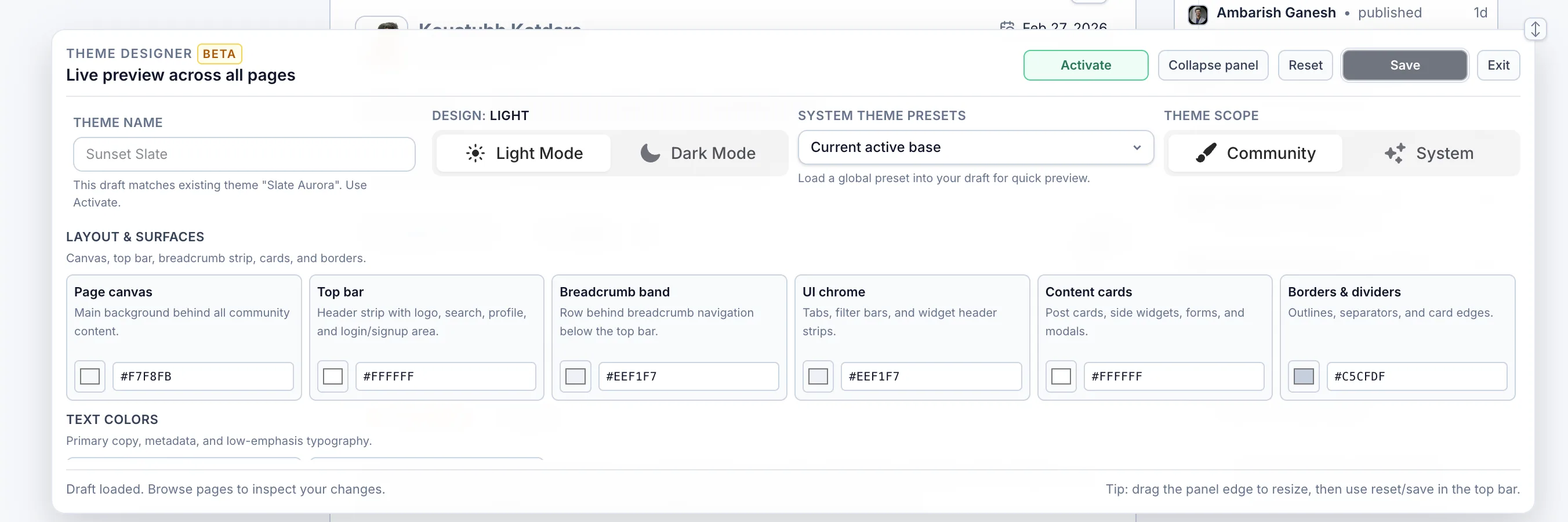
See color changes in real time while browsing community pages
customize the light and dark mode colors separately
Save your custom theme and activate it when ready
Use official Jatra system themes as a starting point
Switch appearance mode between Light, Dark or System.
...and it's all natively supported. No dependency on plugins - ever!
What is new in practical terms?
No-code theme editing
Every major UI color is controlled through simple color pickers and hex inputs. You can quickly align your community with your brand colors without writing CSS.
Live preview across pages
The designer floats with you while you navigate, so you can instantly validate colors on feed, post pages, sidebars, buttons, and widgets.
Better safety rails
We added validation and guardrails so common mistakes are harder to make:
Theme names now have clear limits
Duplicate themes are blocked
Unsaved drafts cannot be activated
Error states are more visible
Cleaner theme management
UI Customisation now separates:
Your Custom Themes
Jatra System Themes
So your team can experiment freely, while official defaults stay untouched.