

New Feature 🙌 - Member Recognition with Badge System

Every community has a handful of people who show up, answer questions, and keep conversations alive. Jatra v3.7.4 lets you mark them.
Member badges appear next to a member's name everywhere in your community. Other members see who the regulars are. The regulars see that you noticed.
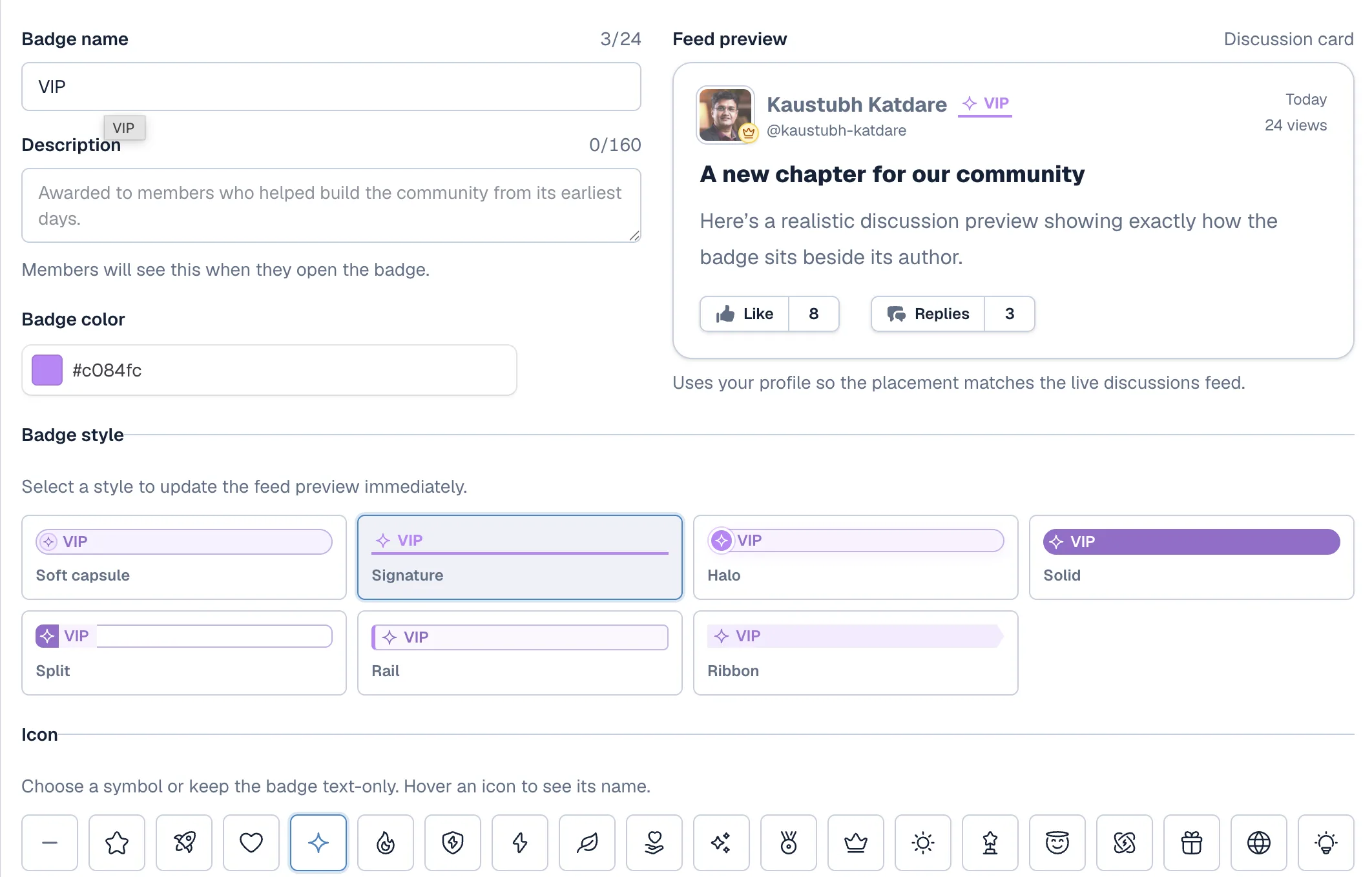
Creating a badge
Go to Admin → Badges → New Badge.
Set the name, description, color, style, and icon. Toggle it Active.
You can create up to 20 badges. Each one can go to as many members as you want. A member can hold only one badge at a time, so pick the one that fits them best.
Awarding a badge
The member list in admin settings has a new look. Search for the member, click Add Badge, and pick from your active badges.
The badge shows up next to their name across the community right away. You can see mine next to "Admin" above.
Go create your first badge. Tell us what you named it in the comments.